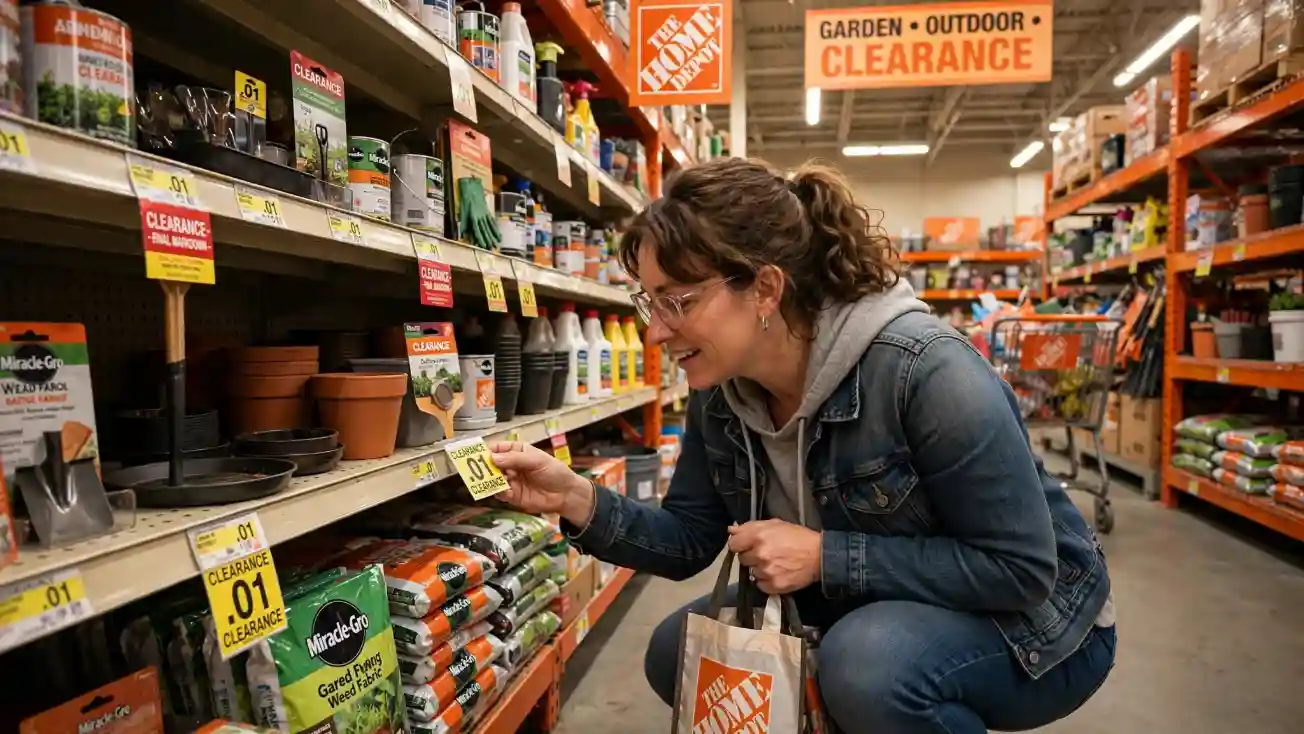
To find penny items at Home Depot, look for deeply discounted or discontinued merchandise, check clearance areas and seasonal products, note the item’s SKU or UPC, and scan the product barcode before checkout. A true penny item is one that actually rings up at $0.01. Prices and availability can vary by store, so the scan is the final check.
Key Takeaways
- Home Depot penny items are products that can ring up for just $0.01 after reaching a very late clearance stage.
- There is no reliable national penny aisle or permanent public penny list.
- Check clearance, seasonal merchandise, discontinued products, and items remaining in their normal shelf location.
- Use the product’s UPC/SKU to identify and verify potential finds.
- Always scan the actual product barcode before assuming something is a penny item.
- Penny pricing and inventory can vary significantly between Home Depot locations.
What Are Home Depot Penny Items?
A Home Depot penny item is a product that rings up for $0.01 in the store’s pricing system.
These products are generally associated with the end of a clearance or inventory-removal process. In other words, a product may have gone through several markdowns and eventually reach a point where the store intends for it to be removed from active selling space.
The important part is this: a penny item is not simply an item with a low price.
For example, a product priced at $5.01 is not a penny item. A product priced at $0.99 is not a penny item either. The term specifically refers to an item that scans at one cent.
Because penny products may already be scheduled for removal, they can be difficult to find. A store might have one location with a product still sitting on a shelf while another location has already removed it.
How to Find Penny Items at Home Depot
Finding these deals is less about one secret trick and more about combining several useful signals.
1. Start With Clearance Candidates
Begin with products that already look like clearance merchandise.
Look for:
- Yellow clearance tags
- Deeply reduced prices
- Discontinued-looking products
- Older packaging
- Seasonal merchandise
- Products sitting on clearance endcaps
- Items that appear to be leftovers from a previous season
- Products that seem out of place in their department
Home Depot currently has a dedicated online clearance section, but an online clearance listing should not be treated as proof that an item is a penny in your local store. Store inventory and prices can differ.
The goal is to use clearance as a starting point, not as a guarantee.
2. Check the Product’s Home Bay
One common mistake is assuming every clearance product will be sitting in one special clearance aisle.
That is not always the case.
Some Home Depot stores use endcaps or dedicated clearance displays, while other clearance products remain in their normal department or “home bay.” Current penny-shopping guides specifically recommend checking the item’s regular location rather than relying only on a central clearance area.
For example, if you’re looking for discounted lighting, check the lighting department. If you’re hunting seasonal garden products, check the garden area and nearby seasonal displays.
This approach can be much more productive than walking around looking only for a sign that says “Clearance.”
3. Look at Seasonal and Discontinued Merchandise
Seasonal products are natural candidates for clearance because stores need to make room for the next selling season.
Depending on the time of year, pay attention to products such as:
- Holiday decorations
- Garden accessories
- Outdoor décor
- Patio merchandise
- Seasonal lighting
- Fans
- Winter products
- Lawn and garden accessories
- Seasonal storage products
Discontinued merchandise can also become heavily discounted because the store needs to move remaining inventory.
However, don’t assume that every seasonal item will eventually become a penny. Clearance timing depends on the individual product and store.
4. Check the SKU and UPC
Once you find a promising item, identify its SKU, model number, or UPC barcode.
The product number is particularly useful if you are comparing the same item across multiple stores or checking information shared by deal-hunting communities.
A penny list may provide a product name or SKU, but remember that a list is only a lead. A product reported as a penny in one location may have a different price or no remaining inventory at another location.
That is why you should treat a penny list as a scouting tool rather than a guarantee. Current guides emphasize that penny pricing is highly dependent on individual store inventory and pricing.
5. Scan the Product Before Checkout
This is the most important step.
If you think you’ve found a potential penny item, scan the UPC barcode on the actual product packaging.
Do not assume the yellow tag, shelf price, website price, or a social-media post is the final answer.
The scan should tell you what the store’s current system is charging for that product.
If it shows $0.01, you have found a genuine penny-priced item.
If it shows $2.98, $5.00, $12.98, or another amount, it is not currently a penny item at that location.
This scan-and-confirm approach is recommended across current penny-shopping guides because shelf labels and online information can lag behind the live store price.
How Home Depot Clearance Markdowns Work
Home Depot clearance products can move through multiple markdown stages before they are eventually removed.
You may see an item become progressively cheaper over time. Deal-hunting communities often discuss price endings such as .06, .04, .03, or .02 as possible indicators of markdown stages.
However, don’t treat those endings as a guaranteed countdown to one cent.
Some current 2026 guides specifically warn that older price-ending rules are no longer reliable enough to use as a universal calendar. The item’s clearance date, current store inventory, and actual scan can be more useful indicators.
The safest rule is simple:
Use the clearance tag to identify a candidate. Use the barcode scan to confirm the price.
Do Home Depot Penny Lists Really Work?
Yes, penny lists can be useful but they need to be used correctly.
A penny list is generally a collection of product names, SKUs, UPCs, or recent reports from shoppers who found products ringing up for $0.01.
The problem is that these lists can become outdated quickly.
Imagine someone finds a discontinued tool for one cent at a Home Depot in Texas. That does not mean the same tool will ring up for one cent at a store in Florida, California, or another location.
Inventory is local, and products can disappear quickly.
Therefore, use a penny list to answer:
“What should I look for?”
Don’t use it to assume:
“This product is definitely one cent at my store.”
Your physical scan is the final test.
Best Places to Look for Hidden Clearance
There is no guaranteed location, but these areas are worth checking:
Clearance endcaps: Some stores still place markdown merchandise on endcaps or other prominent clearance displays.
Normal product bays: Don’t ignore the item’s regular location. Clearance can remain mixed with ordinary inventory.
Seasonal areas: Seasonal transitions can create opportunities as stores make room for new merchandise.
Garden and outdoor areas: Seasonal products in these departments frequently move through clearance cycles.
Overhead storage: Some shoppers report finding forgotten or missed inventory above regular shelves. Never climb restricted equipment or put yourself at risk; ask an employee for help when an item is inaccessible.
Discontinued products: Look for older models, packaging changes, and merchandise that appears to be leaving the assortment.
The key is to look for signals rather than one magic location.
Can You Buy a Home Depot Penny Item?
Sometimes, but you should not assume every $0.01 discovery will automatically result in a completed sale.
Penny items are generally associated with merchandise that the store intended to remove. Current sources report that what happens at checkout can vary, and some stores may remove or decline an item rather than complete the transaction.
If you encounter a problem, stay polite.
Don’t argue with employees, create a scene, or interfere with store operations. A one-cent deal is not worth turning a shopping trip into a confrontation.
The practical approach is to scan the item, see what happens, and respect the store’s decision.
Common Penny-Shopping Mistakes
Mistake 1: Trusting a social-media list blindly
A list can be several days old by the time you see it.
Better approach: Use the list to identify candidates, then verify the product at your store.
Mistake 2: Assuming every .01 price is a penny
A price such as $14.01 is not a penny item.
Better approach: Look for a total price of $0.01.
Mistake 3: Checking only the clearance aisle
Some stores don’t have a single clearance section containing everything.
Better approach: Check the product’s normal home bay as well as endcaps and seasonal areas.
Mistake 4: Assuming a tag proves the current price
Clearance labels can become outdated.
Better approach: Scan the product’s UPC.
Mistake 5: Treating old markdown codes as guaranteed
Clearance-price patterns discussed online can change and may vary by store.
Better approach: Consider price endings as clues, not promises.
Mistake 6: Arguing over a refused sale
Even an exciting penny find isn’t worth creating a conflict.
Better approach: Remain respectful and move on if the store won’t complete the sale.
FAQs
Does Home Depot have an official penny list?
No public, nationwide Home Depot penny list is provided as an official shopping program. Most penny lists found online are created by deal hunters, communities, or third-party services. They can be useful for finding possible SKUs, but they should not be considered a guarantee for your local store.
Can the Home Depot app show a $0.01 penny price?
Not necessarily. Current reports indicate that penny pricing may not appear normally in the app or online product listing. This is why an in-store scan of the product barcode is the safer way to verify the actual price.
Are penny prices the same at every Home Depot?
No. Store-level inventory and pricing can differ. The same product may be available at one store and gone from another, or it may have different pricing depending on the location.
What if an item scans at a penny but the shelf tag shows a higher price?
The scan is useful because it checks the current system price rather than relying only on an older shelf label. If there is a discrepancy at checkout, remain polite and let store staff handle the transaction according to their procedures.
Is penny shopping worth it?
It can be fun for bargain hunters, but there is no guarantee that you’ll find anything. The most efficient strategy is to focus on specific candidates, check relevant departments, and scan selectively instead of scanning every product in the store.
Conclusion
Learning how to find penny items at Home Depot is really about recognizing potential clearance candidates and then verifying them correctly.
Start with clearance, seasonal, discontinued, and unusual-looking merchandise. Check both dedicated clearance displays and the product’s normal home bay. Use SKUs and UPCs to identify promising products, and treat online penny lists as leads rather than guarantees.
Most importantly, scan the actual product before assuming you’ve found a one-cent deal.
Penny items are rare because they are generally products that were supposed to be removed before shoppers found them. That makes the hunt unpredictable but it also explains why the occasional $0.01 discovery can be such an exciting bargain.
If you approach penny shopping with realistic expectations, patience, and respect for store employees, you’ll have a much better chance of finding genuine clearance opportunities without wasting time or relying on outdated information.
How to Find Penny Items at Home Depot: 2026 Guide
Meta Description:
URL Slug:

I am Toni Morrison an acclaimed American novelist and Nobel Prize winner whose powerful storytelling explored identity, memory, love, heritage, and the human spirit through unforgettable literary works at Spiritualdreamz.com.